10xTravel is part of an affiliate sales network and receives compensation for sending traffic to partner sites, such as CreditCards.com. This site may earn compensation when a customer clicks on a link, when an application is approved, or when an account is opened. This compensation may impact how and where links appear on this site. This site does not include all financial companies or all available financial offers. Terms apply to American Express benefits and offers. Enrollment may be required for select American Express benefits and offers. Visit americanexpress.com to learn more. All values of Membership Rewards are assigned based on the assumption, experience and opinions of the 10xTravel team and represent an estimate and not an actual value of points. Estimated value is not a fixed value and may not be the typical value enjoyed by card members.
Being able to shop online from the comfort of your own home is one of the twenty-first century’s greatest achievements. It’s also an easy way to rack up thousands of bonus points on your spending by paying with a travel rewards credit card at the online checkout.
However, it’s important to stay protected when shopping online, as fraudsters and thieves can intercept your transactions to steal your card information. Even with the guarantees of zero liability protection offered by most credit cards, having your card information stolen is something you always want to avoid.
Virtual credit card numbers can help protect your sensitive card information when paying for online purchases. Let’s take a look at virtual credit card numbers to see how they can keep you safe, as well as how to get them.
What is a Virtual Credit Card Number?
A virtual credit card number is a one-time use code that you can use for card-not-present transactions, including online shopping purchases, as well as payments made over the phone or by mail. It’s a randomly generated token that replaces your original card data with a unique numeric code, just like when you use a digital wallet.
A virtual card number differs from your actual card number, meaning that if a merchant that you’ve made a payment with suffers a data breach, your true card details will remain protected. This prevents thieves and fraudsters from obtaining your card details from card-not-present transactions.
Likewise, some card issuers enable you to add virtual card numbers—and effectively virtual cards—to digital wallets. This means you can use the virtual card number for in-store payments with merchants that offer digital wallet payment compatibility, adding a further layer of security and flexibility.
Virtual card numbers are typically generated for one-time use or for a specific set of transactions. After you’ve been approved for a credit card, some card issuers will issue you a virtual card and accompanying virtual card number until you receive your physical card in the mail.

Which Card Issuers Offer Virtual Card Numbers?
Not all credit card issuers offer virtual card numbers. American Express, Capital One and Citibank are the main issuers who offer the ability to create a virtual card number.
However, even if your card issuer doesn’t directly offer virtual card numbers, you can often generate virtual card numbers with any Visa, Mastercard, American Express or Discover card by using Click to Pay.
Click to Pay is a service that enables you to add credit and debit cards to your Click to Pay account and use them with online merchants. When you pay using Click to Pay, tokenization helps to create an encrypted virtual credit card number for one-time usage with the specific merchant, protecting your card information.
Click to Pay not only keeps your card information secure, it also speeds up the online checkout process—with just one click, you’ll be able to purchase the product, without needing to enter your card information.
For instance, if you want to shop online using a Chase- or Bank of America- issued credit card—two issuers that don’t offer virtual card numbers—you can leverage Click to Pay to help you generate a virtual credit card number.
Click to Pay is available at participating online checkouts; it may not provide a reusable virtual number you can manually enter anywhere.
Let’s look at how you can get a virtual card number with Amex, Capital One and Citi.
American Express
American Express enables you to create virtual card numbers when shopping through the Google Chrome browser on a desktop, Android device or Android app.
You can get a virtual card number by logging into your Amex account and selecting “Account Services,” then “Card Management” and “Manage Digital Wallets & Payment Features.” Select “Add Card” where it says “Add Card to Google Pay” and follow the steps to enroll your card with Google Pay.
When you go to checkout while using the Google Chrome browser, you’ll be prompted to use a virtual card number. The card details fields will automatically populate, making for a smooth payment experience.
Capital One
Capital One offers its users the ability to generate virtual card numbers through its Eno browser extension.
You can install the Eno extension on your browser, enabling you to generate virtual card numbers for your Capital One credit cards when shopping online.
You’ll need to register your Capital One card with Eno, which will then create a virtual card number when you go through online checkouts. The virtual card number will correspond to the specific merchant you’re making a purchase with, adding a further layer of security. The virtual card will also be saved for future use with each merchant, making it even quicker the next time you checkout online.
Alternatively, you can create and manage virtual card numbers directly through the Capital One mobile app. Once you’re logged into the app, select “Get Your Virtual Card” to create a virtual card number. You’ll need to verify your identity to get virtual card details with Capital One. You can then use this card for Capital One mobile app purchases as well as for online shopping purchases.
Citibank
Select Citi cards enable you to create corresponding virtual card numbers for secure card-not-present transactions. You can set nicknames for these cards, enabling you to better track their usage.
You can find out if you’re eligible by logging into your Citi account and trying to create a virtual card number. Once you’re logged in, select the card account you wish to create a virtual number for and look for the “Virtual Account Number” option under your card’s name. If this option is displayed, then you’re in luck and will be able to create a virtual card number.
You’ll be able to set spending limits as well as a fixed time period in which the virtual card number is valid, adding additional protection to the process. Select “Generate Number” to create your virtual card number.
Drawbacks of Virtual Card Numbers
It’s almost always a good idea to use virtual card numbers when shopping online. It’s an easy way to keep your sensitive card information protected from scammers and thieves through the process of tokenization.
However, if you’re paying for a service with recurring billing, virtual card numbers aren’t always the best idea. Given that virtual card numbers are typically one-time use or generated for a specific set of transactions, they’re often unsuitable for recurring payments, such as a bill you pay monthly. That’s unless you can create a virtual card number that’s tied to the merchant and will stay valid for the period of time required for the recurring billing.
Likewise, keep in mind that if you want to return an item you purchased and are looking for a refund, merchants will typically refund the payment to the card you originally used. That means you could run into difficulties if you used a one-time usage virtual credit card number. While that’s not always necessarily the case, it’s an important point to keep in mind and consider before making a purchase.

Best Credit Cards For Online Shopping
Not all credit cards are made equal when it comes to earning points on online shopping purchases. While some credit cards offer online shopping as a bonus spending category, they’re few and far between.
Generally, the best credit cards for online shopping are those that earn a high baseline rewards rate on non-bonus category spending. This way, you can rest assured that you’re earning a solid return on your spending, regardless of what you’re purchasing online. And if you create virtual card numbers when shopping online with these cards, you can have peace of mind that you’re maximizing both rewards and security simultaneously.
Here’s an overview of some of the best credit cards for online shopping:
- Bank of America® Customized Cash Rewards Credit Card: 3% cash back on online shopping purchases. Between 1.25% and 1.75% cash back for eligible Bank of America Preferred Rewards® members on non-bonus category spending.
- Blue Business® Plus Credit Card from American Express (see rates and fees): 2X points on all purchases up to $50,000 per year (1X points thereafter).
- Blue Cash Everyday® Card from American Express (see rates and fees): 3% cash back on online retail merchant purchases on up to $6,000 per year (1% thereafter).
- Capital One Venture Rewards Credit Card: 2X points on non-bonus category spending.
- Capital One Venture X Rewards Credit Card: 2X points on non-bonus category spending.
- Citi Double Cash® Card: 2% cash back on all purchases (1% when you buy and 1% when you pay).
- Ink Business Unlimited® Credit Card: 1.5% cash back on non-bonus category spending.
- Prime Visa: 5% cash back at Amazon.com, Amazon Fresh, Whole Foods Market, plus 10% cash back or more on a rotating selection of items and categories on Amazon.com.
- U.S. Bank Shopper Cash Rewards® Visa Signature® Card: 6% cash back with specific online merchants on up to $1,500 per quarter and 1.5% cash back on non-bonus category spending.
Once you’re equipped with one of these cards, you can either generate a virtual card number through the issuer (subject to availability) or add them to Click to Pay and generate virtual card numbers using this method.
Final Thoughts
Paying for purchases with a credit card affords more security than paying with cash or debit, due to zero liability protection. However, you can make an already secure transaction even safer by generating a virtual credit card number for card-not-present transactions.
Whether you use Click to Pay or generate a virtual card number directly with your card issuer, you gain an additional layer of security when shopping online.
This way, the next time you click “Pay Now,” you can rest assured that your card details are protected.

New to the world of points and miles? The Chase Sapphire Preferred® Card is the best card to start with.
With a bonus of 75,000 bonus points after you spend $5,000 on purchases in the first 3 months from account opening. , 5x points on travel booked through the Chase TravelSM Portal and 3x points on restaurants, streaming services, and online groceries (excluding Target, Walmart, and wholesale clubs), this card truly cannot be beat for getting started!
after you spend $3,000 in eligible purchases on the Card within your first 3 months of Card Membership
You may be eligible for as high as $200 cash back after spending $2,000 in purchases on your new Card in the first 6 months. Welcome offers vary and you may not be eligible for an offer. Cash back is received as Reward Dollars, redeemable for statement credit or at Amazon.com checkout. Terms Apply.
in your first cardholder year, plus earn 75,000 bonus miles once you spend $4,000 on purchases within the first 3 months from account opening - that’s equal to $1,000 in travel
Annual Fee: $95

when you spend $4,000 on purchases in the first 3 months from account opening, equal to $750 in travel
Annual Fee: $395
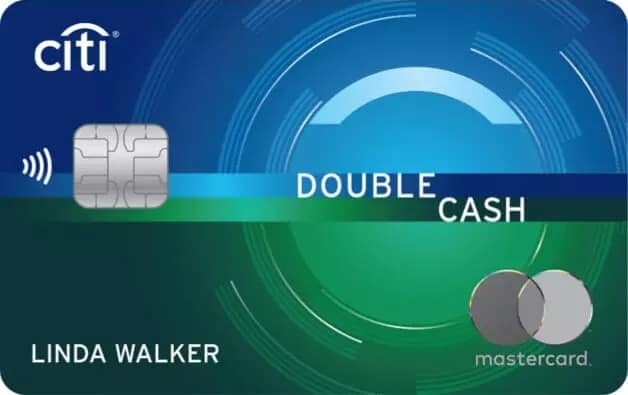
after you spend $1,500 on purchases in the first 6 months of account opening. This bonus offer will be fulfilled as 20,000 ThankYou® Points, which can be redeemed for $200 cash back.
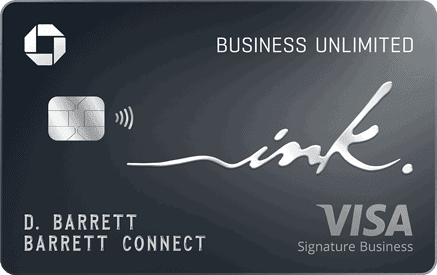
after you spend $6,000 on purchases in the first 3 months from account opening
Editors Note: Opinions expressed here are author’s alone, not those of any bank, credit card issuer, hotel, airline, or other entity. This content has not been reviewed, approved or otherwise endorsed by any of the entities included within the post.
10xTravel is part of an affiliate sales network and receives compensation for sending traffic to partner sites, such as CreditCards.com. This site may earn compensation when a customer clicks on a link, when an application is approved, or when an account is opened. This compensation may impact how and where links appear on this site. This site does not include all financial companies or all available financial offers. Terms apply to American Express benefits and offers. Enrollment may be required for select American Express benefits and offers. Visit americanexpress.com to learn more. All values of Membership Rewards are assigned based on the assumption, experience and opinions of the 10xTravel team and represent an estimate and not an actual value of points. Estimated value is not a fixed value and may not be the typical value enjoyed by card members.
Editors Note: Opinions expressed here are author’s alone, not those of any bank, credit card issuer, hotel, airline, or other entity. This content has not been reviewed, approved or otherwise endorsed by any of the entities included within the post.
bonus cash back
after you spend $6,000 on purchases in the first 3 months from account opening
to use on Capital One Travel
in your first cardholder year, plus earn 75,000 bonus miles once you spend $4,000 on purchases within the first 3 months from account opening - that’s equal to $1,000 in travel
bonus points
after you spend $5,000 on purchases in the first 3 months from account opening.

Membership Rewards® Points
after you spend $6,000 in eligible purchases on your new Card in your first 6 months of Card Membership. Welcome offers vary and you may not be eligible for an offer. Apply to know if you’re approved and find out your exact welcome offer amount – all with no credit score impact. If you’re approved and choose to accept the Card, your score may be impacted.