10xTravel is part of an affiliate sales network and receives compensation for sending traffic to partner sites, such as CreditCards.com. This site may earn compensation when a customer clicks on a link, when an application is approved, or when an account is opened. This compensation may impact how and where links appear on this site. This site does not include all financial companies or all available financial offers. Terms apply to American Express benefits and offers. Enrollment may be required for select American Express benefits and offers. Visit americanexpress.com to learn more. All values of Membership Rewards are assigned based on the assumption, experience and opinions of the 10xTravel team and represent an estimate and not an actual value of points. Estimated value is not a fixed value and may not be the typical value enjoyed by card members.
Note: Some of the offers mentioned below may have changed or may no longer be available. The content on this page is accurate as of the posting date; however, some of our partner offers may have expired. You can view current offers here.
Like most other major credit card issuers, Chase has its own travel booking portal through which you can book flights, hotel stays, rental cars and more either with points or with cash. The Chase Travel℠ portal is easy to use and allows you to book with nearly every major airline, hotel, and rental car provider worldwide.
Unfortunately, in 2025, Chase Travel℠ underwent a severe devaluation. For years, Chase Sapphire Reserve® received a fixed value per point of 1.5 cents through Chase Travel℠ , and those with either the Chase Sapphire Preferred® Card or Ink Business Preferred® Credit Card received a fixed value of 1.25 cents per point.
Now, however, all Chase credit card holders* receive a fixed value of 1 cent per point on nearly all redemptions through Chase Travel℠. That’s a huge devaluation of either 20% or 33%, depending on which card you had.
Nevertheless, the Chase Travel℠ portal is still a convenient way to redeem Chase points. And there are still some redemptions, known as Points Boost, that offer up to 2 cents per point in value.
So, in this article, we’re going to cover everything you need to know about how to use the Chase Travel℠ portal as well as the pros and cons of this platform.

Earn 100,000
bonus points
after you spend $6,000 on purchases in the first 3 months from account opening.
Annual Fee: $795
Chase Sapphire Preferred® Card
Earn 75,000
bonus points
after you spend $5,000 on purchases in the first 3 months from account opening.
Annual Fee: $95

What Makes the Chase Travel Portal Different?
In many ways, the Chase Travel℠ portal works similarly to other travel booking sites. However, unlike other portals, Chase Travel℠ allows users to both redeem and earn Chase Ultimate Rewards points.
When booking stays through Chase Travel℠ with cash, you’ll earn points depending on the Chase credit card that you use. For instance, the Sapphire Reserve card now earns 8X points on all purchases through Chase Travel℠.
When redeeming points through the Chase Travel℠ portal, Chase cardmembers have the option to use points to cover the entire cost of a purchase or only a portion of the cost. The baseline value per point you’ll get with all Chase cards is 1 cent per point. However, some travel redemptions are marked as Points Boost redemptions, which means that they offer more than 1 cent per point in value. We’ll discuss how much value per point you can get for Points Boost redemptions with each Chase card in the following sections.
Key Benefits for Chase Cardholders
The Chase Travel℠ portal also offers several valuable benefits for Chase cardholders. Let’s take a look at some advantages of booking travel through Chase Travel℠.
Special Hotel Benefits Through The Edit by Chase Travel℠
If you’re a Chase Sapphire Reserve cardholder, you’re entitled to receive certain benefits when booking hotel stays through The Edit by Chase Travel℠. This collection features luxury hotels and resorts available for booking through the Chase Travel℠ portal.
If you’re conducting a hotel search through Chase Travel℠, properties that are part of The Edit collection are labeled as such. You can also choose to click on the Edit tab and search exclusively for properties that are included in the collection.
These benefits can potentially provide hundreds of dollars in value, and we’ll include more about The Edit in the “Hotel Rewards and Benefits” section of this article.
Earn Chase Points for Booking Travel
Perhaps the best benefit of booking travel through the Chase Travel℠ portal is that you can earn a lot of Chase points or cash back when booking with cash, depending on the Chase credit card you have. The following chart includes the current spending bonuses for Chase Travel℠ purchases offered by each Chase credit card:
| Chase card name | Spending bonuses for Chase Travel℠ purchases |
|---|---|
| Chase Freedom Flex® |
|
| Chase Freedom Unlimited® |
|
| Chase Sapphire Preferred® Card |
|
| Chase Sapphire Reserve® |
|
| Ink Business Cash® Credit Card |
|
| Ink Business Preferred® Credit Card |
|
| Ink Business Unlimited® Credit Card |
|
| Sapphire Reserve for Business℠ |
|

Earn a $200
Bonus
after you spend $500 on purchases in your first 3 months from account opening
As you can see, when booking travel through the Chase Travel℠ portal, you can quickly rack up points of cash back with certain Chase credit cards. In particular, the Sapphire Reserve and Sapphire Reserve for Business cards both offer 8X points on all Chase Travel℠ purchases.
So, for instance, if you were to spend $500 on a flight through the Chase Travel℠ portal with the Sapphire Reserve card, you’d earn 4,000 Chase points, which are worth at least $40 and possibly much more through transfer partners.
Use Chase Points to Reduce Out-of-Pocket Travel Costs
Another major advantage of the Chase Travel℠ portal is the fact that you can use Chase points to reduce the cost of your travel. You can use points to cover a portion or the entire cost of hotel bookings, flights, cruises, rental cars, tickets to attractions and more.
As we’ll discuss in further detail later in this article, you can often get more value out of your Chase points by redeeming them through transfer partners. Nonetheless, using your Chase points for travel bookings through Chase Travel℠ will definitely still save you some cash.
How Does Chase Ultimate Rewards Work with the Portal?
To use Chase points for travel purchases, you can simply choose how many points you want to apply to the cost of your travel booking on the checkout page.
As mentioned above, for the vast majority of travel bookings available through the Chase Travel℠ portal, you’ll receive 1 cent per point in value. However, redemptions that are marked with the “Points Boost” tag can offer as much as 2 cents per point in value, depending on what credit card you have.
In general, Sapphire Reserve and Sapphire Reserve for Business cardholders will get more value per point on Points Boost redemptions (typically between 1.75 cents and 2 cents per point) than those with either the Sapphire Preferred or Ink Business Preferred card (which typically receive up to 1.5 cents per point).
Regardless of whether or not you’re purchasing a Points Boost redemption, you can choose whether or not to apply Chase points to your purchase on the checkout page.
You can also choose how many points to apply to each redemption. For instance, if a flight costs $1,000 and your Chase points balance is 100,000, you could choose to apply all of your 100,000 points to cover the full cost of the flight. However, you could also choose to pay for this flight with a mix of 50,000 points and $500 or a mix of 75,000 points and $250 in cash.
Now, let’s say you were booking a flight that cost $600 and that flight qualified for Points Boost, and the Chase Ultimate Rewards points value was 1.5 cents per point. If you were to book this flight entirely with Chase points, it would cost you 40,000 points. However, you can also pay for Points Boost-eligible travel with a combination of points and cash. For example, you could purchase this flight with a mix of 30,000 points and $150 in cash.
Typically, the points that you use for a redemption will be immediately deducted from your account balance.
Cancellation and Refund Policies
In compliance with the Department of Transportation’s rule, you can cancel any flight booking made through Chase Travel℠ (whether made with points, cash or a mix of the two) within 24 hours for a full refund, so long as the ticket was purchased at least seven days before scheduled departure.
Once the 24-hour period has passed, the cancellation and refund policies are determined by the airline you’re flying with and the fare that you booked. You should make sure to read these refund and cancellation policies for the fare you’ve chosen before completing your booking.
Cancellation and refund policies for hotel, rental car and cruise bookings are also determined by the specific travel provider that you’re booking with. You can typically find these policies within the listing in Chase Travel℠.

How to Access and Navigate Chase Travel
Another advantage of the Chase Travel℠ portal is its ease of use. This platform can be easily accessed from a desktop or mobile device. Plus, Chase Travel℠ makes it easy to find your perfect flight, hotel booking, rental car or cruise with its advanced search tools and filters.
Let’s take a look at how you can access the Chase Travel℠ portal and how you can use it to effectively search for travel.
Setting Up Your Chase Travel Account
To access the Chase Travel℠ portal, you’ll need to sign up for a credit card that earns Ultimate Rewards points. This includes cash back cards (such as the Chase Freedom Flex® or Ink Business Cash® Credit Card) that earn cash back in the form of Ultimate Rewards points.
When you open one of these card accounts, you’ll need to create a username and password. If you want to access the Chase Travel℠ portal, you can sign in using these same credentials.
To access the Chase Travel℠ portal login, you can either go to chasetravel.com or you can go to your Chase credit card’s main dashboard and click the “Earn/Use” button, where you’ll see the number of points you have listed. Then, you can choose “Travel” from the options listed.
Using the Search and Filter Tools
When you arrive on the Chase Travel℠ homepage, you’ll see several bubbles that you can choose from depending on whether you want to book a hotel, flights, activity, rental car, cruise or tour. Once you choose the type of travel you wish to book, you can simply enter the details of your desired trip, such as your travel dates, origin, destination, number of travelers and more. Finally, you can click the search button to conduct your search.
On the next page, you’ll be shown a list of results that match your search query. However, using Chase’s sorting and filter tools, you can organize and narrow down these search results to easily find a travel itinerary that matches your preferences.
For example, when searching for flights, you can filter your results for price, airline, departure/arrival time and departure airport. When searching for hotels, you can filter for certain amenities, such as parking, swimming pool, airport shuttle, laundry services and more. You can also filter by a hotel’s TripAdvisor rating, which is helpful to ensure you have a good experience.
And, with every kind of travel available through the Chase Travel℠ portal, there’s a “Points Boost only” toggle button near the top-right of your search results. By turning on this toggle button, you’ll be shown only results that qualify for Points Boost. Using this feature is a great way to ensure that you maximize the value of your Chase rewards.
Limited Time Offer! Earn a $250
Bonus
after you spend $500 on purchases in your first 3 months from account opening. Offer Ending Soon

Can You Really Save Money Booking Flights Through Chase Travel?
As mentioned at the beginning of this article, the Chase Travel℠ portal underwent a massive devaluation in 2025. As a result, we typically recommend searching for travel redemptions through Chase’s transfer partners before booking through the Chase Travel℠ portal (as these transfer partners tend to offer superior value per point).
Nonetheless, you can definitely still save yourself a lot of money by earning Chase Ultimate Rewards points and using those points to book flights (and other travel) through Chase Travel℠.
Chase points can be earned in a variety of ways, but the most common way is through making credit card purchases, which you’d need to make anyway, regardless of whether or not you earn rewards. So, essentially, just by paying your normal expenses, you can rack up Chase Ultimate Rewards points.
Then, once you earn a balance of points, you can use them to book flights and other travel for free, all because you chose to do your spending on a Chase credit card.
Finding the Best Flight Deals
When it comes to finding the best flight deals with Chase Ultimate Rewards points, we recommend first looking for redemptions through transfer partners, then looking for Points Boost flights and booking normal non-Points Boost award flight redemptions through Chase Travel℠ as a last resort.
Best Option: Book Flights Through Transfer Partners
In many cases, the best way to maximize the value of your Chase points is to redeem them for flights through transfer partners. Here’s the current list of Chase’s airline transfer partners:
- Aer Lingus AerClub
- Air Canada Aeroplan
- Air France-KLM Flying Blue
- British Airways Executive Club
- Iberia Plus
- JetBlue TrueBlue
- Singapore Airlines KrisFlyer
- Southwest Airlines Rapid Rewards
- United Airlines MileagePlus
- Virgin Atlantic Flying Club
Chase points transfer to all of these partners at a 1:1 ratio. So, for instance, if you were to transfer 100,000 points to any of the frequent flyer programs listed above, you would receive 100,000 miles with that program.
Through these programs, you can often find flight redemptions that offer value exceeding 2 cents per point in value, especially when redeeming for premium-cabin awards.
So, before you book your next flight through the Chase Travel℠ portal, we recommend looking into purchasing your flight with points through one of Chase’s transfer partners. You can use third-party search tools like AwardTool and PointsYeah to search for flights through Chase’s transfer partners. These sites will tell you which partner to transfer to and which flights require the fewest miles.
Alternatively, you could use the 10xTravel Award Booking service, which takes the hassle out of award travel by finding you the best flights at the best rates.
Decent Option: Book Points Boost Flight Redemptions Through Chase Travel℠
The next-best option after finding high-value redemptions through transfer partners is to book Points Boost flight redemptions through the Chase Travel℠ portal. These Points Boost redemptions can provide up to 2 cents per point in value, depending on which Chase card you have in your wallet.
The following table includes the potential value you could get out of Points Boost redemptions, depending on the card that you have:
| Chase card name | Value of Points Boost flight redemptions |
|---|---|
| Chase Sapphire Preferred® Card | Up to 1.5 per point |
| Chase Sapphire Reserve® | 1.75 - 2 cents per point |
| Ink Business Preferred® Credit Card | Up to 1.5 cents per point |
| Sapphire Reserve for Business℠ | 1.75 - 2 cents per point |
Chase Sapphire Preferred® Card
Earn 75,000
bonus points
after you spend $5,000 on purchases in the first 3 months from account opening.
Annual Fee: $95
Earn 100,000
bonus points
after you spend $6,000 on purchases in the first 3 months from account opening.
Annual Fee: $795
The cards listed above are the only Chase credit cards eligible for Points Boost. If you have any other Chase credit card, all travel purchases through Chase Travel℠ will provide 1 cent per point in value.
And, as you can see, the Sapphire Reserve and Sapphire Reserve for Business cards receive higher value per point on Points Boost redemptions than the Sapphire Preferred or Ink Business Preferred cards.
If you can’t find a high-value flight redemption through one of Chase’s transfer partners, the next-best option is to look for Points Boost redemptions through Chase Travel℠. The best way to search for these redemptions is to conduct a flight search through Chase Travel℠ and then use the “Points Boost” toggle button to filter for Points Boost redemptions only.
Worst Option: Book Flight Redemptions Through Chase Travel℠ at a Value of 1 Cent Per Point
If you can’t find a high-value redemption through a transfer partner and the flight you’re searching for isn’t eligible for Points Boost, then the only option you’re left with for booking flights with Chase points is simply to book through the Chase Travel℠ portal at a value of 1 cent per point. This is generally a poor option.
Alternatively, you’re better off redeeming your Chase points for statement credits (also at a rate of 1 cent per point) and then purchasing your flight with cash and earning more Chase points for your purchase.
For example, let’s say you had the Chase Sapphire Reserve card and you wanted to purchase a flight that cost $600 through Chase Travel℠ (and that flight didn’t qualify for Points Boost). If you booked that flight with points directly, you’d pay 60,000 points and earn no Chase points (since award bookings don’t accumulate points). Alternatively, you could redeem your 60,000 points for statement credits and receive $600 in statement credits. Then, you could book your flight with cash and earn 4,800 Chase points (a value of at least $48).
Managing Flight Reservations
If you make a flight reservation through Chase Travel℠, you can manage that reservation by visiting the Chase Travel℠ portal and navigating to the “My Trips” section, which you should be able to find in the drop-down menu on the top toolbar.
Once you get to this page, you can choose the flight itinerary that you’d like to manage. You’ll then be able to view your itinerary details, add frequent flyer numbers, select your seats (depending on your airline and fare class) and cancel or change your flights.

Booking Hotels Through Chase Travel
The Chase Travel℠ portal can also be a good platform through which to book hotel stays. However, Chase also has several hotel transfer partners (including IHG One Rewards, Marriott Bonvoy and World of Hyatt) to which you can transfer points directly.
So, if you’re considering booking a hotel with Chase points, we recommend searching for outsized-value redemptions through these three hotel partners before booking through the Chase Travel℠ portal. Once again, third-party search tools like AwardTool and PointsYeah can be very helpful for finding outsized-value redemptions through hotel transfer partners.
Hotel Rewards and Benefits
When booking hotel stays through the Chase Travel℠ portal, Chase Sapphire Reserve and Sapphire Reserve cardholders are entitled to special rewards and benefits through The Edit collection as well as with IHG hotels, since both cards include IHG Platinum Elite status as a perk.
The Edit by Chase Travel℠ Benefits
As mentioned above, The Edit by Chase Travel℠ is a portfolio of luxury hotels and resorts that can be booked by Chase Sapphire Reserve and Sapphire Reserve for Business cardholders through the Chase Travel℠ portal.
Plus, when you book a stay through The Edit by Chase Travel℠, you’ll be entitled to certain on-site benefits during your stay, such as:
- Daily breakfast for two
- Complimentary room upgrade at check-in (if available)
- $100 property credit (includes dining, spa or other activities at the property)
- Early check-in and late check-out (if available)
- Welcome amenity
- Complimentary Wi-Fi
(Benefits may vary by property.) As you can see, these benefits can provide hundreds of dollars of value. And you wouldn’t get them if you didn’t book through the Chase Travel℠ portal.
IHG Platinum Elite Status Benefits
Another valuable benefit of both the Sapphire Reserve and Sapphire Reserve for Business is automatic IHG Platinum Elite status (available until December 31, 2027). You can activate this benefit by linking your IHG One Rewards account in the “Benefits” section of your Chase dashboard.
IHG Platinum Elite status includes the following benefits:
- Free Wi-Fi
- Guaranteed room availability up to 72 hours
- Complimentary room upgrade (subject to availability)
- Welcome amenity of either points or a drink/snack at check-in
- Early check-in (subject to availability)
- Late 2 p.m. checkout (subject to availability)
- Automatic Hertz Gold Plus Rewards® Five Star status
So, if you have IHG Platinum Elite status through either the Sapphire Reserve or Sapphire Reserve for Business card, you can access these benefits anytime you stay at an IHG hotel worldwide.
Car Rentals and Activities
Through the Chase Travel℠ portal, car rentals and activities don’t currently qualify for Points Boost, no matter which Chase card you have. This means that you’ll always get a fixed value of 1 cent per point on car rentals and activities through the Chase Travel℠ portal.
So, once again, instead of redeeming Chase points directly for travel through the Chase Travel℠ portal at a rate of 1 cent per point, we recommend redeeming those Chase points for a statement credit (or saving them for a future redemption). Then, you can instead book your travel with cash through the Chase Travel℠ portal and earn Chase points for your purchase.
It’s also worth noting that the Sapphire Reserve, Sapphire Reserve for Business, Sapphire Preferred and Ink Business Preferred cards all include rental car collision damage waivers. This means that you can decline the collision damage waiver offered by the rental company as long as you pay the entire cost of the rental with your eligible Chase card.

Tips to Get More Value from Chase Travel
Now that we’ve covered all of the basics of using the Chase Travel℠ portal, let’s look at a few more advanced tips to maximize the value you can get from this travel booking site.
Keep an Eye on Chase Offers
When you log in to your Chase credit card account, it’s worth taking a peek at the “Chase Offers” section every once in a while. This section includes targeted offers, some of which may be for travel purchases through the Chase Travel℠ portal.
These offers can help you book travel at an exclusive discounted rate. Plus, you’ll still earn Chase points on these purchases.
Book Flights with Flexible Cancellation Policies
The Chase Travel℠ portal notably does not offer price drop protection. That means that, if you purchase a flight through Chase Travel℠ and the price subsequently drops, you won’t be refunded the price difference (as you would with some other travel booking portals).
Additionally, sometimes a flight may not be eligible for a Points Boost redemption at first. However, if you go back and check on that flight days later, it may be offered as a Points Boost redemption.
For these reasons, we recommend booking flight fares with flexible cancellation policies. So, if you see that the flight you booked has dropped in price or become eligible for Points Boost, you can cancel your flight for free and rebook at the better rate.
Earn Double Rewards by Linking Loyalty Accounts
Some hotels and airlines allow you to earn points or miles through their loyalty accounts even when a booking was made through Chase Travel℠. So, you should make sure to add your loyalty number to your travel booking so you don’t miss out on extra rewards (on top of the Chase points you’ll earn for your booking).
For instance, if you have a flight booking on American Airlines, you should make sure to add your AAdvantage number (or other frequent flyer program account number) to your booking on the American Airlines website.
Enhancing Your Trip with Chase Travel
Unfortunately, since Chase reduced the baseline redemption value for Sapphire Reserve cardholders through the Chase Travel℠ portal from 1.5 cents to 1 cent per point and the baseline value for Sapphire Preferred and Ink Business Preferred cardholders from 1.25 cents to 1 cent per point, the Chase Travel℠ portal has become significantly less impressive.
Now, the only times when it really makes sense to book travel with Chase points through the Chase Travel℠ portal are when a redemption is eligible for Points Boost (in which case you can get up to 2 cents per point in value).
Otherwise, if you’re only going to get 1 cent per point in value through the Chase Travel℠ portal, then the best option will be to redeem your Chase points for statement credits (which is effectively the same as receiving cash) and then make your Chase Travel℠ purchases with cash and earn Chase points at elevated (such as 8X points with the Sapphire Reserve or Sapphire Reserve for Business).
However, the best option for booking travel with Chase points is often to transfer your points to hotel and airline transfer partners. These partners all offer a 1:1 transfer ratio, and you can often find outsized-value redemptions through them.
*Points earned prior to October 26, 2025, by Sapphire Reserve cardmembers who applied prior to June 23, 2025, can be redeemed at 1.5X on Chase Travel until October 26, 2027. For points earned prior to October 26, 2025, cardmembers will automatically receive the best offer available, whether it’s Points Boost or 1.5X on Chase Travel.
New to the world of points and miles? The Capital One Venture Rewards Credit Card is the best card to start with.
Current offer: Limited Time Offer: Enjoy a $300 stays credit, plus earn 75K bonus miles once you spend $4,000 on purchases within 3 months from account opening.
Earn 5X miles on hotels, vacation rentals and rental cars booked through Capital One Travel; 2X miles on all purchases.
after you spend $500 on purchases in your first 3 months from account opening. Offer Ending Soon
after you spend $500 on purchases in your first 3 months from account opening
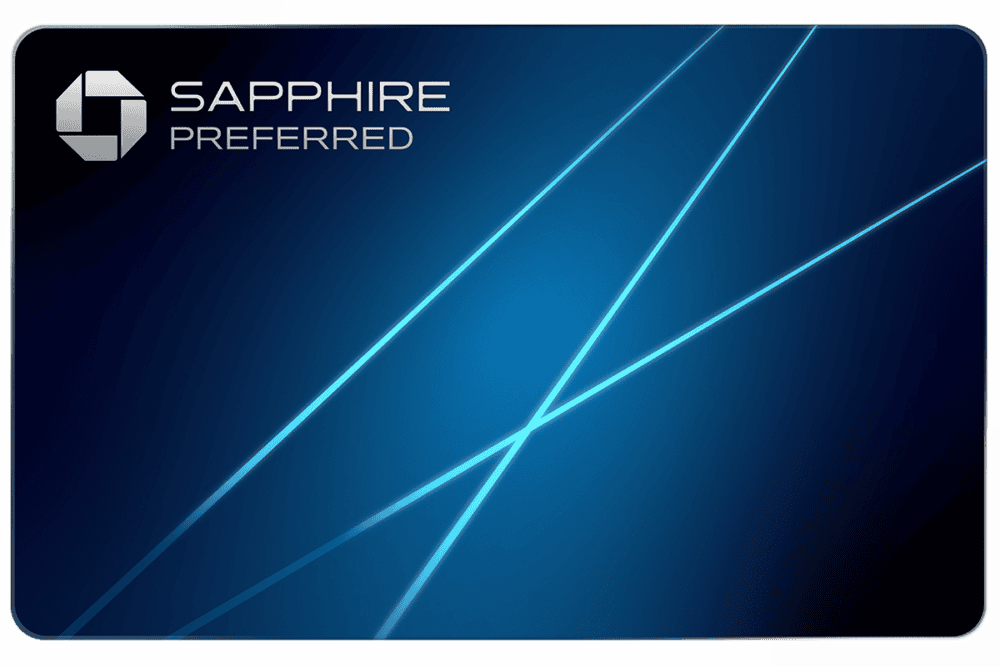
after you spend $5,000 on purchases in the first 3 months from account opening.
Annual Fee: $95
after you spend $6,000 on purchases in the first 3 months from account opening.
Annual Fee: $795
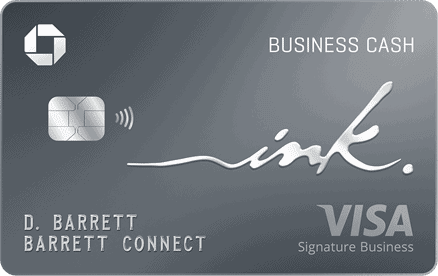
when you spend $6,000 on purchases in the first 3 months after account opening.
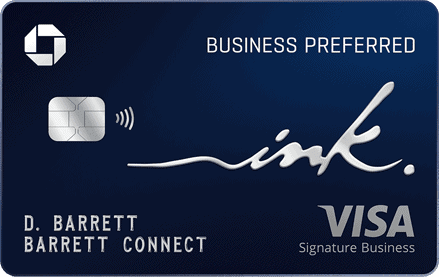
after you spend $8,000 on purchases in the first 3 months from account opening.
Annual Fee: $95
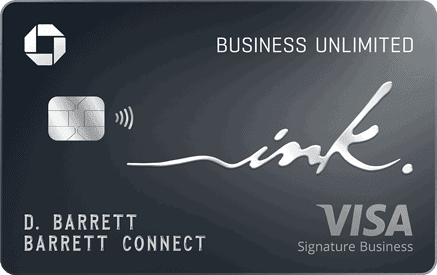
after you spend $6,000 on purchases in the first 3 months from account opening.
after you spend $30,000 on purchases in your first 6 months from account opening
Annual Fee: $795
Editors Note: Opinions expressed here are author’s alone, not those of any bank, credit card issuer, hotel, airline, or other entity. This content has not been reviewed, approved or otherwise endorsed by any of the entities included within the post.
10xTravel is part of an affiliate sales network and receives compensation for sending traffic to partner sites, such as CreditCards.com. This site may earn compensation when a customer clicks on a link, when an application is approved, or when an account is opened. This compensation may impact how and where links appear on this site. This site does not include all financial companies or all available financial offers. Terms apply to American Express benefits and offers. Enrollment may be required for select American Express benefits and offers. Visit americanexpress.com to learn more. All values of Membership Rewards are assigned based on the assumption, experience and opinions of the 10xTravel team and represent an estimate and not an actual value of points. Estimated value is not a fixed value and may not be the typical value enjoyed by card members.
Editors Note: Opinions expressed here are author’s alone, not those of any bank, credit card issuer, hotel, airline, or other entity. This content has not been reviewed, approved or otherwise endorsed by any of the entities included within the post.
bonus cash back
after you spend $6,000 on purchases in the first 3 months from account opening.
earn 75K bonus miles
once you spend $4,000 on purchases within 3 months from account opening.
bonus points
after you spend $5,000 on purchases in the first 3 months from account opening.
Membership Rewards® Points
after you spend $8,000 in eligible purchases on your new Card in your first 6 months of Card Membership. Welcome offers vary and you may not be eligible for an offer. Apply to know if you’re approved and find out your exact welcome offer amount – all with no credit score impact. If you’re approved and choose to accept the Card, your score may be impacted.